
Beyond the Shell: Reimagining DevOps with the Clojure REPL

We are all familiar with the standard REPL experience provided by shells like Bash, Zsh, or Fish. However, far fewer developers have experienced the power of a Clojure REPL. I built BigConfig in Clojure because I believe we should stop relying on fragmented shell environments for operations and development. By moving to a unified Clojure REPL, we can significantly boost productivity.
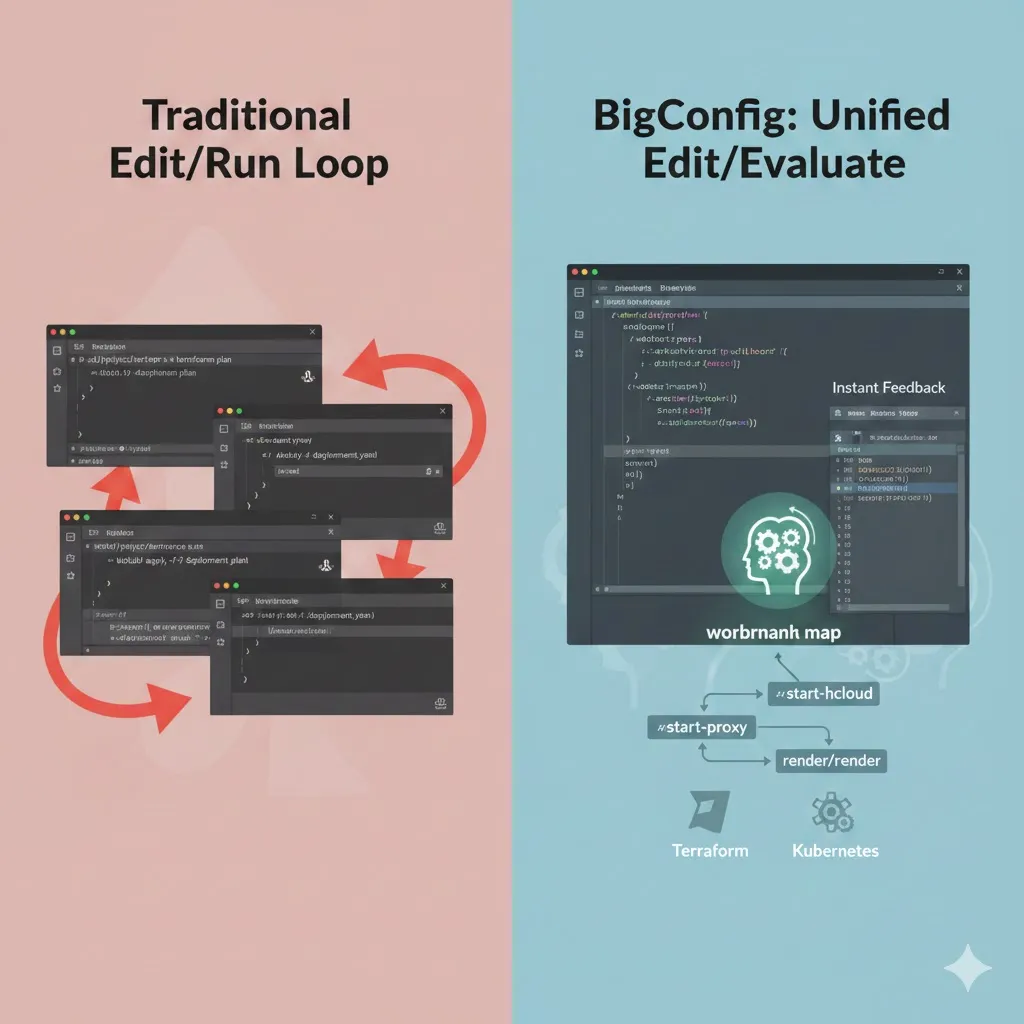
The Problem: The “Edit/Run” Loop
Section titled “The Problem: The “Edit/Run” Loop”Let’s look at the standard workflow for a tool like Terraform:
cdinto the project root.- Edit the
.tffiles. - Run
terraform planin the shell. - Repeat until it works.
Now, imagine scaling this across multiple tools. Suddenly, you aren’t just running Terraform; you’re managing ansible, kubectl, and helm. Each tool lives in a different directory. The cognitive cost of switching directories and managing multiple shell sessions becomes a massive bottleneck. You either waste time cd-ing back and forth or you end up with twenty terminal tabs, losing track of which is which.
The BigConfig Alternative: “Edit/Evaluate”
Section titled “The BigConfig Alternative: “Edit/Evaluate””With BigConfig, this friction disappears. Instead of a “shell-per-directory” approach, we use a single, persistent JVM:
- Jack-in once: Like a shell, the JVM stays running, but you only need one instance for your entire project.
- Unified Workspace: Clojure files and tool-specific configurations (YAML, HCL, etc.) live in the same project.
- Instant Feedback: You evaluate Clojure code directly within your editor. No context switching is required.
In the traditional model, “Edit” and “Run” happen in two different programs (the editor and the shell). In BigConfig, “Edit” and “Evaluate” happen in the same program, your editor. Whether you are managing one tool or a hundred, the workflow remains identical.
Workflow: A New Type of Flow Control
Section titled “Workflow: A New Type of Flow Control”To make this possible, BigConfig introduces a specialized flow control: the workflow.
While if is the classic example of flow control in code, a BigConfig workflow operates on a workbench map. You define a series of steps (specialized functions) that execute sequentially, reading from and writing to this shared map.
For example, the workbench map might contain a sequence like ["terraform init", "terraform plan"]. A specific step reads those commands and executes them in a directory defined elsewhere in the map. Even if you prefer writing HCL or YAML manually rather than generating it, BigConfig’s workflow engine automates the orchestration, so you don’t have to.
Real-World Application: Developing Terraform Providers
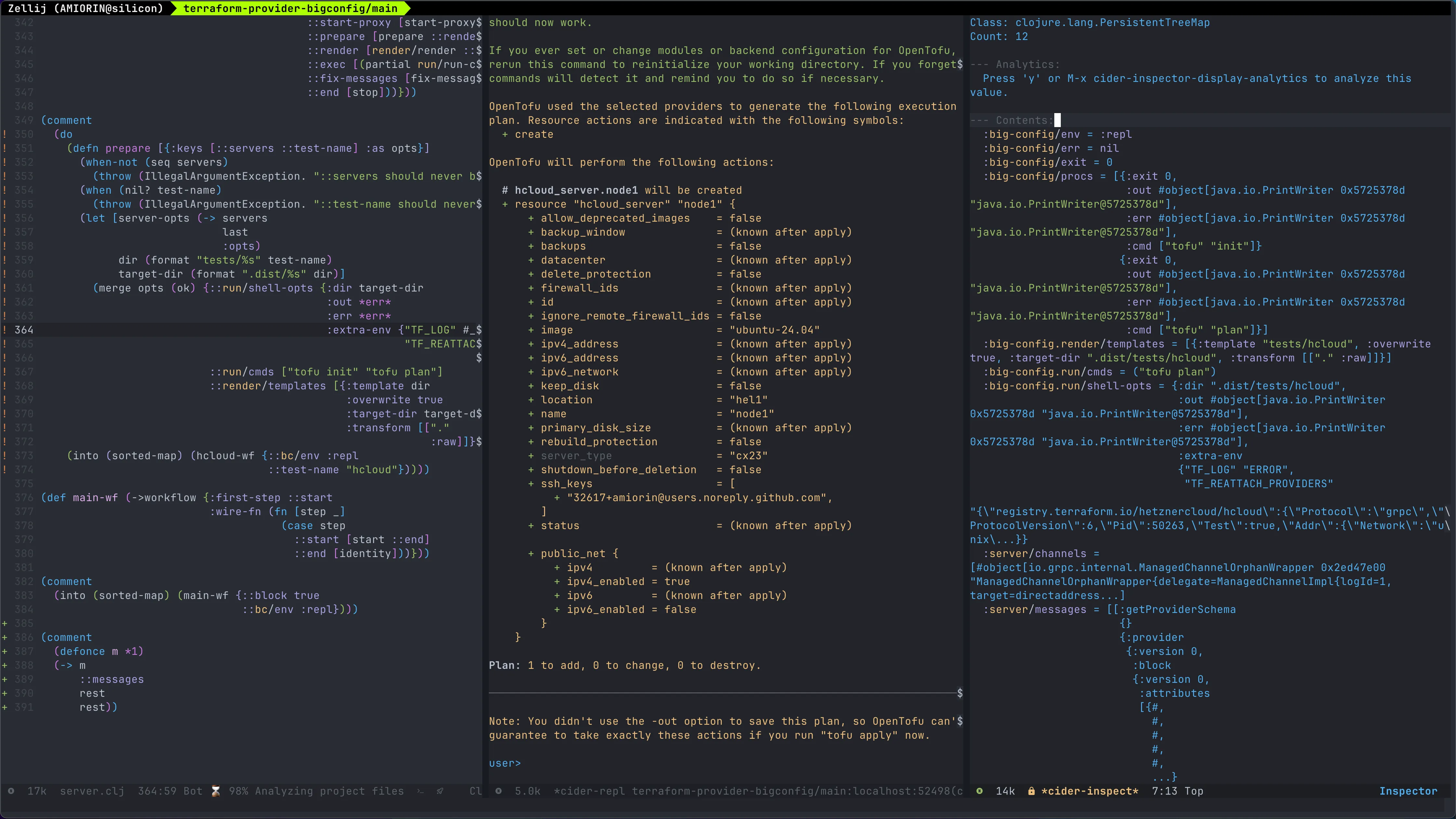
Section titled “Real-World Application: Developing Terraform Providers”I use BigConfig for both operations and core development. Currently, I’m building a Terraform Provider in Clojure . Because the gRPC protocol documentation can be sparse, I built a BigConfig workflow to log and analyze traffic.
I use two primary workflows for this:
- The hcloud workflow: This starts the Hetzner Terraform Provider in dev mode, launches a gRPC “man-in-the-middle” to log traffic, renders a test
main.tf, executes Terraform, and transforms the resulting gRPC Java classes into readable Clojure maps. - The dev workflow: This is identical to the first, but it swaps the Hetzner provider for my own Clojure-based provider in development.
(def hcloud-wf (->workflow {:first-step ::start                            :wire-fn (fn [step step-fns]                                       (case step                                         ::start [start-hcloud ::start-proxy]                                         ::start-proxy [start-proxy ::prepare]                                         ::prepare [prepare ::render]                                         ::render [render/render ::exec]                                         ::exec [(partial run/run-cmds step-fns) ::fix-messages]                                         ::fix-messages [fix-messages ::end]                                         ::end [stop]))}))
(comment  (into (sorted-map) (hcloud-wf {::bc/env :repl                                 ::test-name "hcloud"})))
(def dev-wf (->workflow {:first-step ::start                         :wire-fn (fn [step step-fns]                                    (case step                                      ::start [start ::start-proxy]                                      ::start-proxy [start-proxy ::prepare]                                      ::prepare [prepare ::render]                                      ::render [render/render ::exec]                                      ::exec [(partial run/run-cmds step-fns) ::fix-messages]                                      ::fix-messages [fix-messages ::end]                                      ::end [stop]))}))(comment  (into (sorted-map) (dev-wf {::bc/env :repl                              ::test-name "first"})))
Goodbye, Debuggers
Section titled “Goodbye, Debuggers”I don’t need a traditional debugger for this. Because these workflows are just pure functions that transform a map, I can “attach” any value I want to inspect to the workbench map at any step.
Thanks to Clojure’s qualified keywords, I never have to worry about naming conflicts between different steps. I can see the entire state of my infrastructure and my code in one place, instantly.
Conclusion
Section titled “Conclusion”Traditional DevOps workflows are often bogged down by the “Edit/Run” loop, requiring developers to constantly switch between editors, directories, and terminal tabs. BigConfig solves this by leveraging a persistent Clojure REPL to create a unified “Edit/Evaluate” environment. By orchestrating tools like Terraform through a centralized “workbench map,” BigConfig eliminates context switching and replaces traditional debugging with instant, stateful feedback. It transforms fragmented operations into a seamless, code-driven flow where infrastructure and development live in a single, interactive workspace.
Would you like to have a follow-up on this topic? What are your thoughts? I’d love to hear your experiences.
Update
Section titled “Update”I received an interesting question and wanted to share my response here.
Question
Section titled “Question”The REPL often suffers from reproducibility issues due to out-of-order execution. Does BigConfig address this in some way?
Answer
Section titled “Answer”This is addressed both by Clojure itself and within BigConfig’s architecture.
Clojure provides the foundation because out-of-order execution would be detrimental to any serious development. By using Clojure for operations—rather than Python or Node—we can leverage the same robust patterns used in traditional Clojure REPL-driven development.
BigConfig specifically solves this by introducing a new control flow: the workflow. A workflow is a function that invokes other functions, called steps, similar to AWS Step Functions (which served as an inspiration for BigConfig). If you are modifying a specific step, such as prepare, you would edit it like this:
(comment (do (defn prepare [opts] ; you are developing the code of this step ) (into (sorted-map) (hcloud-wf {::bc/env :repl ::test-name "hcloud"}))))In my editor, I simply press C-c C-c to evaluate everything in the correct order. I can then inspect the workbench map in one window and the stdout in another, ensuring a predictable and reproducible state every time.